Introduction
In restaurant management, every customer order requires flawless synchronization between the kitchen and the waiter. Traditional ledger and paper ticket methods can lead to lost orders, misunderstandings and long waiting times. This is exactly where ticket software steps in, digitizing and accelerating every process in your business while minimizing errors.
The cloud-based ticket software offered by Onpos Software reduces technical complexity while giving business owners powerful analytics tools, real-time reports and scalable infrastructure. In this article, we take a detailed look at the Onpos Restaurant Ticket Software, explore both its technical and functional advantages, and show why it is the right choice for your restaurant.
Note: For more information and a free live demo, you can reach us at info@onpos.com.tr or visit www.onpos.com.tr .
1. Cloud-Based Architecture and Infrastructure Details
1.1. Architectural Layers
Onpos's cloud-based restaurant software consists of three layers:
-
Presentation Layer (Front-End): User-friendly, intuitive web and mobile interfaces.
-
Business Logic Layer (Back-End): Hosts all operational rules, workflows, order processing and stock management modules.
-
Data Layer: High-performance, distributed database servers (SQL/NoSQL hybrid).
This structure serves smoothly even with high user counts and large data volumes.
1.2. Microservices Approach
Unlike monolithic systems, Onpos's ticket software was developed with a microservices architecture. Every function (order management, stock tracking, reporting, user management) runs as an independent microservice. This means:
-
New features can be rolled out quickly without affecting users.
-
A problem in one service does not stop the whole system.
-
Scaling is applied only to the busy modules.
1.3. Security and Access Controls
-
Data Encryption: Full encryption both in transit (TLS 1.3) and at rest (AES-256).
-
Multi-Layer Authentication: 2FA/OTP support for admin panel access.
-
Role-Based Access Control (RBAC): Detailed access restrictions for roles such as chef, waiter, cashier and manager.
2. Detailed Feature Review
2.1. Order Management
-
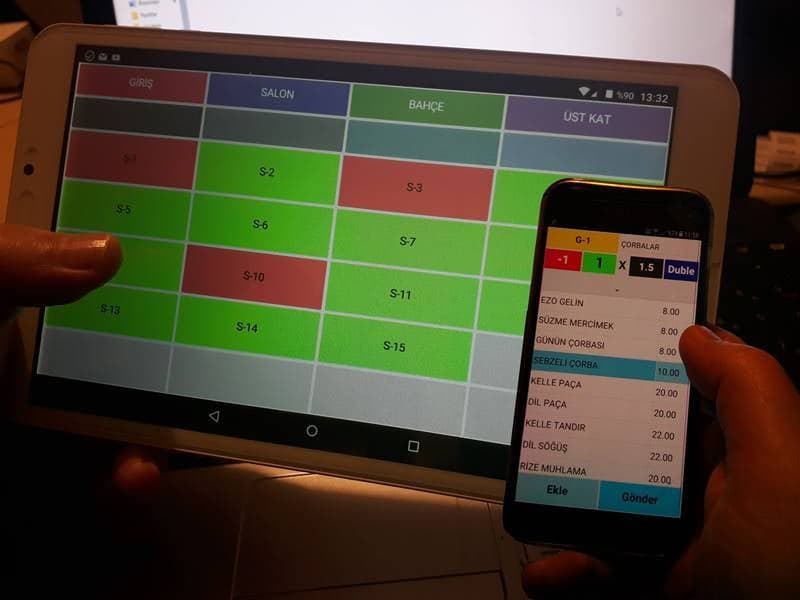
Instant Ticket Creation: Ordering at the table via a QR-code digital menu integration — direct transmission to the kitchen screen.
-
Order Change Tracking: Update and bill customer returns or additional order requests with a single click.
-
VIP and Priority Orders: Accelerated workflows for special customer groups.
2.2. Stock and Supply Chain
-
Real-Time Stock Levels: Automatic deduction after every order; purchasing alerts as critical levels are approached.
-
Supplier Integration: Invoice and purchasing processes can be tracked directly in the program, with API connections to supplier portals.
-
Waste and Loss Management: Waste-rate records for every ingredient; accurate data in cost calculations.
2.3. Staff and Shift Management
-
Shift Planning: Weekly/shift-based templates and emergency shift calls via SMS/push notifications.
-
Performance Dashboard: Average table time per waiter, service speed, customer feedback.
-
Payroll and Wage Management: Automatic calculation of overtime, bonuses and deductions.
2.4. Financial Reporting & Analytics
-
Income-Expense Analysis: Clear profit/loss tables with daily, weekly, monthly and yearly charts.
-
Category-Based Sales Report: Sales comparisons by menu group, product and promotional campaign.
-
Predictive Analytics: Sales forecasts based on seasonality and past trends with AI-supported tools.
2.5. Customer Relationship Management (CRM)
-
Loyalty Program: Point-based discounts, gift coupons, special-occasion campaigns.
-
Data-Driven Segmentation: Separation of one-time, repeat and high-spending customers.
-
Automatic Email/SMS Sends: Birthday greetings, campaign announcements, survey invitations.
2.6. Integrations
-
POS System Compatible: Timestamped invoicing, check/promissory-note modules, grocery POS devices and mobile POS integration.
-
Accounting Software: Two-way data transfer with common ERP/accounting systems such as Logo, Mikro and Paraşüt.
-
Online Ordering Platforms: Orders collected inside the program via API integrations with Yemeksepeti, GetirYemek and Trendyol Yemek.
3. Advantages and Benefits
3.1. Operational Efficiency
Thanks to the digital order flow, order taking, kitchen transmission and billing gain speed of more than 70%. This both increases customer satisfaction and maximizes your table turnover rate.
3.2. Dramatic Drop in Error Rates
Moving from paper-based processes to digital reduces wrong orders, missing invoices and stock errors by up to 90%. This provides both time and cost advantages.
3.3. Strategic Decision Support
Real-time reports and AI-supported forecasting tools clarify which dishes are more popular, seasonal trends and cost items. This lets you set your menu design, pricing and promotion strategies in a data-driven way.
3.4. Scalability and Multi-Branch Compatibility
Whether you are a single restaurant or a chain spread across 10 or even 50 branches; multi-branch-compatible infrastructure lets you monitor data from all branches on a single screen and instantly publish central price and menu updates.
3.5. Cost and Resource Optimization
Automatic stock tracking prevents excess ingredient orders; by clarifying loss and waste rates you keep costs under control. This has a directly positive effect on your profitability.
4. Implementation Process and Training
-
Preliminary Analysis: A free 1-hour online meeting with the Onpos team to determine your business needs.
-
Setup and Data Migration: Fast import of your existing order, stock and customer data.
-
Training and User Onboarding: 2-day interactive training sessions for managers and staff.
-
Go-Live: Transition from the test environment to the live environment; 24/7 support throughout the process.
-
Continuous Support and Updates: 12 months of free software updates and priority technical support.
5. Pricing Plans
| Plan Name | Monthly Subscription | Branch Limit | Support Level | Demo Option |
|---|---|---|---|---|
| Starter | 599 ₺ | 1 | Email Support | Yes |
| Professional | 899 ₺ | 3 | Phone + Email | Yes |
| Corporate | 3.499 ₺ | Unlimited | 24/7 VIP Support | Yes |
Every plan includes a 14-day free trial. For detailed package contents and flexible payment options, send an email to info@onpos.com.tr .
6. Frequently Asked Questions (FAQ)
Q1: Does the system keep working during an internet outage?
-
During short outages the local cache (offline mode) kicks in; when the connection returns, data is synchronized automatically.
Q2: Do I need to invest in technical infrastructure?
-
Thanks to the cloud infrastructure, no server investment is required. Only an internet connection and a basic computer/tablet are sufficient.
Q3: How is my data security guaranteed?
-
With simultaneous AWS & Azure backup, dual-layer encryption and regular security audits, your data is protected with 99,9% uptime and complete confidentiality.
Q4: Is there mobile app support?
-
We have a dedicated mobile web app for both iOS and Android devices. Native app integration is also planned.
7. Demo Request and Contact
To radically increase your restaurant's operational performance and boost your profitability, try the Onpos Restaurant Ticket Software right away.
-
Email: info@onpos.com.tr
-
Web: www.onpos.com.tr
-
Live Demo: Sending an email is enough to request one; within 24 hours we arrange an online presentation at a time that suits you.
Remember: Restaurants that can use technology quickly and correctly get one step ahead in the industry. Accelerate your digital transformation with Onpos Software and experience an error-free, uninterrupted business operation!