Why is modern market checkout software now critical?
In today's retail world, speed, accuracy and transparency are indispensable. Even a 3–5 second delay at the checkout lengthens queues and lowers customer satisfaction. An inventory error turns into a 'not in the system' complaint while stock sits on the shelf. This is exactly where market checkout software steps in. The right market checkout software simplifies operations end to end; it automates every step from sales to procurement, from reporting to campaigns. The cloud-based market program offered by Onpos Software lets retailers of different scales — from SMEs to multi-branch chains — work with the same speed and confidence. Whether your goal is rapid growth or higher profitability, a powerful market checkout software is now a fundamental requirement for staying competitive.
A Quick Look at Onpos Software
Onpos Software develops retail-specific, cloud-based business applications. At fast-sale points such as supermarkets, grocery stores, butchers, greengrocers, delicatessens and even small-scale restaurants/cafes, you work on a single platform. All our solutions are POS-system-compatible, multi-branch-compatible and remotely manageable.
-
Web: onpos.com.tr
-
Email: info@onpos.com.tr
Cloud-Based Architecture, Access from Anywhere and Zero Installation Stress
Onpos eliminates on-premise installation and heavy server costs. From anywhere with an internet connection you connect to the checkouts, warehouses and the management panel. Thanks to the cloud, version upgrades, backups and security patches are applied automatically. This way, your market checkout software is always up to date, fast and secure.
Security and Uptime
-
Role-based access: Separate permissions for cashier, manager and head office.
-
Automatic backup: Minimizes the risk of data loss.
-
Encryption and secure sessions: Prevents unauthorized access.
-
High availability: Uninterrupted sales even during traffic spikes.
Scalability and Multi-Branch Compatibility
When opening a new branch, adding checkouts and departments to the system takes minutes. Prices and campaigns are published from the center, and branch reports are gathered in a single panel. Multi-branch-compatible structure preserves the same standards in every branch while providing local flexibility.
Core Features: The Entire Operation on One Screen
Market checkout software is not just a checkout. In Onpos, sales, stock, procurement, campaigns and reporting live on a single platform:
Stock and Inventory Management
-
Barcode/PLU/scale label support
-
Minimum stock alerts, automatic order suggestions
-
Lot/batch and best-before date tracking, especially for fresh food
-
Warehouse- and shelf-based counting, fast counting modes
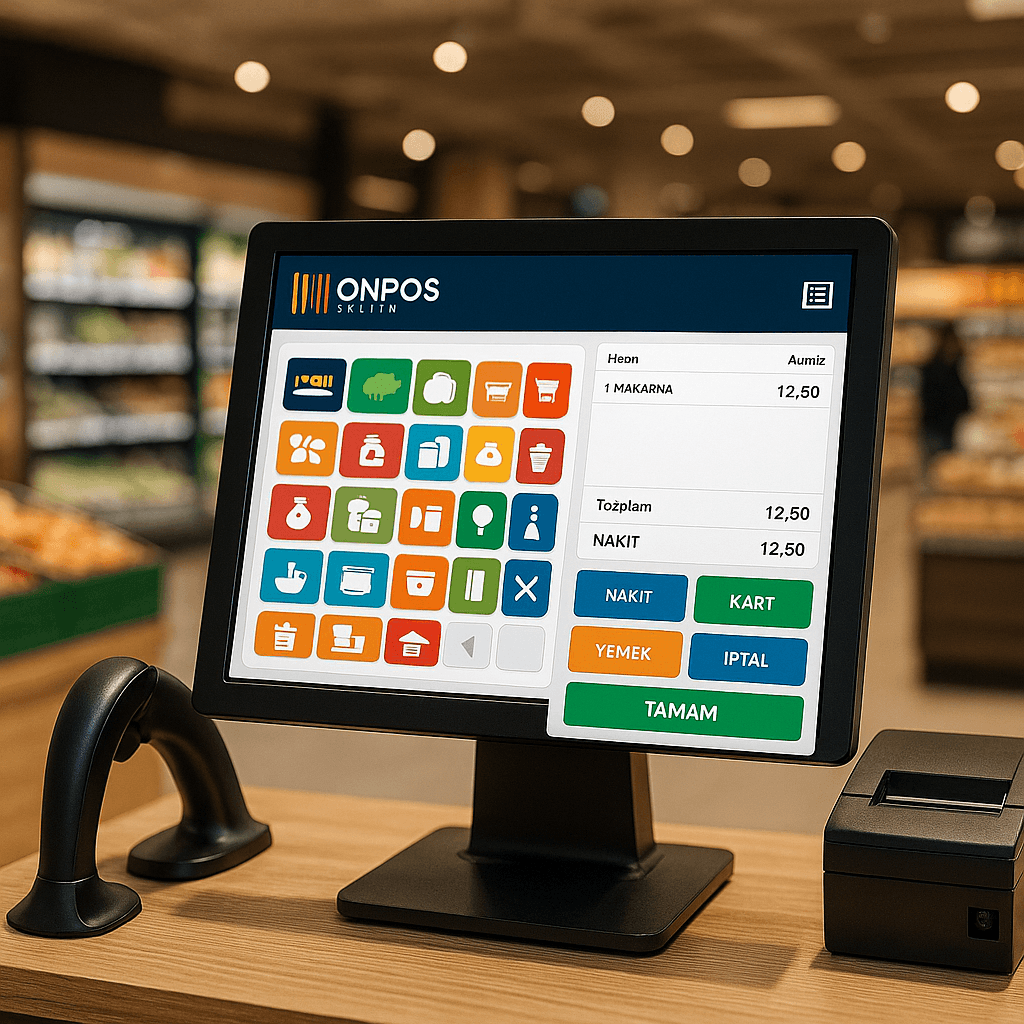
Sales and Checkout Operations (POS system compatible)
-
Fast sales: Instant price and stock checks with a barcode
-
Multiple payments: Cash, card, meal card, wallet, QR
-
Return/exchange management, receipt merging, parked receipts
-
e-Invoice/e-Archive compatibility (ready for fiscal processes)
Order and Supplier Management
-
Automatic suggestions based on sales and minimum stock
-
Purchase order, delivery and invoice matching
-
Supplier-based price comparison and performance analysis
Customer and Loyalty
-
Points, coupons, campaigns
-
Customer segmentation: Basket size, visit frequency
-
Personalized promotion: Breakdown by hour, day and product
Reporting and Real-Time Dashboards
-
Live turnover/profitability, checkout- and branch-based reports
-
Z report, X report, returns, discounts
-
Mobile dashboard: Real-time tracking from your phone
The Advantages It Provides: Time, Errors, Cost
The right market checkout software gives you back time both at the checkout and in the warehouse. Sales in seconds with a barcode, automatic stock deduction, the right price — the result: shorter queues, happier customers.
-
Time savings: Automation in repetitive tasks.
-
Error reduction: Barcodes and rules instead of manual entry.
-
Remote management: Dashboards and alerts without touring branch by branch.
-
Profitability increase: See discount exceptions and losses instantly.
Regulations and Integrations
Onpos attaches great importance to fiscal compliance: e-Invoice/e-Archive and e-Dispatch processes (you can follow the GİB guidelines at gib.gov.tr). On the hardware side, the POS-system-compatible architecture supports cash register, cash drawer, barcode reader, scale and label printer integrations.
Multi-Branch Compatibility: Central Control, Local Flexibility
In chain supermarkets the pricing strategy is set at headquarters; regional promotions can be run per branch. Inter-warehouse transfers, counts and loss records are consolidated on a branch basis. With multi-branch-compatible Onpos, you get:
-
Central price and campaign management
-
Branch targets and comparative reports
-
Inter-warehouse transfers and stock balance
POS-System-Compatible Operation: Hardware and Software Hand in Hand
Market checkout software is fast at the checkout; but speed increases with hardware compatibility. With Onpos:
-
Barcode reader/scale: The right product and price in a single scan.
-
Cash register and receipt printer: Trouble-free documents.
-
Customer display: Transparent view of prices and campaigns.
-
Self-checkout (optional): Queue reduction during peak hours.
The Onpos Difference with Installation, Training and Support
Because we are in the cloud, installation is simple: users are defined, products are imported, checkouts are connected. You can go live on day one and start using the market checkout software right away.
-
Remote/on-site training packages
-
24/7 support and knowledge base
-
Initial data migration: Excel/CSV import wizard
Common Mistakes and How to Avoid Them
-
Over-reliance on Excel: High risk of version conflicts and human error. Solution: real-time data from a single source in Onpos.
-
Manual counting: Time-consuming and error-prone. Solution: mobile counting.
-
Price tag–checkout mismatch: Leads to complaints and fines. Solution: label printer integration and centralized price synchronization.
-
Working without backups: Data loss is a major risk. Solution: automatic backup in the cloud.
From Traditional to Digital (A Short Example)
A two-branch neighborhood market was working with Excel and standalone checkouts. It was receiving complaints about stock mismatches and incorrect prices. With the switch to the Onpos market checkout software :
-
Average basket transaction became 25% faster
-
Stock mismatches decreased by 80%
-
Weekly counting time dropped from 3 hours to 1 hour .
-
Discounts became clear-cut with centrally managed campaigns
Quick Comparison Table
| Topic | Traditional Method | Onpos market checkout software |
|---|---|---|
| Installation | On-premise server, costly | Cloud, fast start |
| Updates | Manual, disruptive | Automatic and invisible |
| Reporting | Late, scattered | Real-time, single panel |
| Multi-Branch | Hard to sync | Central control |
| Error Rate | High | Low – automation |
| Support | Limited | 24/7 plus training |
Best Practices in the Field (Pro Tips)
-
Label and price synchronization: Test a price update on a test checkout before taking it live.
-
Counting rhythm: A weekly quick count and a monthly full count; use a mobile counting device.
-
Campaign engine: To raise the average basket, test 'Y% off orders over X TL' instead of 'buy 2 get 1 free'.
-
Critical stock items: Set minimum stock alerts aggressively for fast-moving items such as milk, bread and eggs.
-
Report sets: Automatic emails — a profitability summary in the morning, a stock variance report in the evening.
-
Staff training: Plan a 30-minute Onpos quick-start module for each new cashier.
FAQ – What people wonder about market checkout software
1) Does market checkout software keep working when the internet goes down?
Onpos is designed to withstand offline scenarios; it synchronizes when the connection returns.
2) Can I issue e-Invoices with market checkout software?
Yes, we have ready integrations for e-Invoice/e-Archive processes (see gib.gov.tr for the GİB guidelines).
3) Which POS-system-compatible hardware is supported?
Barcode readers, scales, label printers, cash registers, customer displays — Onpos is compatible with common hardware.
4) Can price differences be managed in a multi-branch-compatible setup?
Yes. You manage base prices and campaigns from the center and define branch-specific flexibility.
5) Is a cloud-based market program secure?
Yes. Encrypted connections, role-based permissions and automatic backups are standard.
6) How do I switch to Onpos?
You import product cards and account/supplier data via Excel/CSV, connect the checkouts and go live within 1 day. For help, info@onpos.com.tr.
7) Can I view market checkout software reports on mobile?
Yes. With the mobile dashboard, critical reports such as turnover, basket and profitability are visible in real time.
8) Can campaigns and loyalty points be managed with market checkout software?
Yes. Rules such as points, coupons and hour-based discounts are supported.
Conclusion and Call to Action
In short, the choice of market checkout software changes the rules of the game in profitability, speed and customer satisfaction. Onpos Software's cloud-based market program, POS-system-compatible and multi-branch-compatible architecture is ready for the needs of today and tomorrow.
-
Request a demo: onpos.com.tr
-
We are by your side throughout the initial installation and training process.