A business's growth does not only mean an increase in sales. As new branches open, register movements, stock quantities, product prices, staff permissions, orders, delivery operations and daily reports multiply as well. When these processes are not managed correctly, growth can turn into a serious control problem for the business owner.
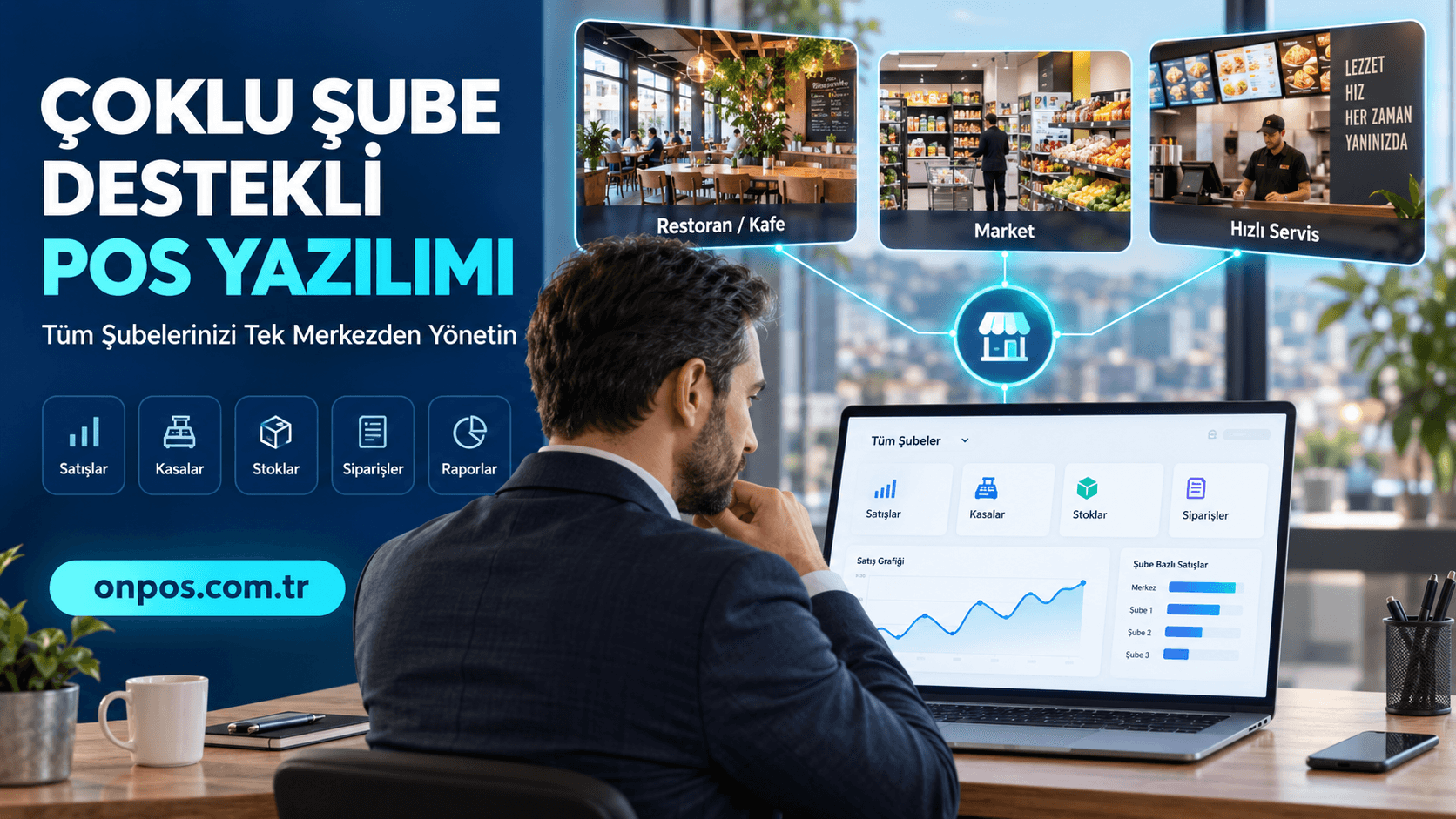
Multi-branch POS software helps businesses operating in different locations track their sales, register, stock, order and reporting processes through a centralized structure. This way, instead of requesting information from each branch separately, the business owner can reach the current data within the scope of their authority through a single system.
Whether it is a restaurant, cafe, eatery, fast food business, patisserie, market, corner shop or buffet, operations carried out with manual methods create serious risks over time. The price changing in one branch while the old price keeps being used in another, warehouse products not appearing correctly in the system, register handovers not being checked or end-of-day reports being prepared with different methods lowers management quality.
The right POS system, on the other hand, does more than record sales. It creates an orderly flow of information between the different parts of the business, gives management a stronger area of control and ensures that decisions are based on data rather than guesses.
What Is Multi-Branch POS Software?
Multi-branch POS software is a business program that enables the centralized management of sales, collections, register, order, stock and operational movements taking place in the different branches of a business.
In traditional register programs, each branch can be an independent structure working on its own. When no connection is established between branches, the business owner has to collect separate reports from each location, merge the data and compare the results. While this method wastes time even with two branches, it becomes unsustainable as the number of branches grows.
In a multi-branch management infrastructure, on the other hand, the center and the branches are parts of the same operational order. Depending on the authorization structure and the modules used, business management can reach the following data in a more orderly way:
-
Daily sales by branch
-
Cash, card and other collection distributions
-
Register opening and closing movements
-
Sales performance by product or category
-
Branch stocks and stock movements
-
Order volumes
-
Cancellation, return and discount transactions
-
Staff user activities
-
Delivery service operations
-
Periodic branch comparisons
-
Business-wide total reports
The main purpose here is not to force all branches into a single mold. The goal is to ensure that the rules determined by the business can be applied in all branches and that the results can be evaluated with a shared management approach.
For the business owner, what this means is quite clear: not being dependent on phone calls, messages, ledgers and different Excel files to learn what is happening in the branches.
Why Should Businesses Use Multi-Branch POS Software?
In a single-branch business, some shortcomings can be resolved temporarily through the business owner's direct intervention. The owner checks the register, joins the stock count or prepares the end-of-day report personally. But when the second and third branches open, maintaining the same control physically becomes impossible.
The need for multi-branch business software usually becomes apparent through the following operational problems.
Register discrepancies being noticed late
A register shortage or surplus does not stem only from staff error. Choosing the wrong payment type, a canceled order, an unrecorded collection, incorrect change or an incomplete transaction during closing can also cause a register discrepancy.
When each branch's register records are kept separately, it becomes harder for the center to compare these movements. Digital register management helps sales and collections be matched more regularly and end-of-day checks be standardized.
Inability to find the real cause of stock loss
If the stock shown on paper is not the same as the stock on the shelf or in the warehouse, an invisible cost arises in the business. The source of this difference may be stock not being deducted during a sale, an incorrect recipe, an incomplete delivery, spoilage, waste, a wrong count or uncontrolled product removal.
A multi-branch stock tracking system allows the stock movements in each location to be monitored separately. This way, not only “how much product is left” but also in which branch and in which process the stock difference arose can be investigated.
Different prices being applied in the branches
Communicating a price change decision made at the center to the branches by phone or message increases the risk of error. A staff member may use the old price, apply the campaign incorrectly or enter an incomplete product definition.
The centralized definition approach helps product, price, category and operational rules be managed in a more orderly way. How a price change will be applied and whether the branches will use common or different prices can be determined according to the business's commercial structure.
Order mix-ups
In restaurants and cafes, the order must progress correctly between the waiter, the register, the kitchen and the service. During busy hours, orders conveyed verbally or tracked with illegible notes can create service to the wrong table, missing products, delays and customer complaints.
A restaurant program ensures that the order is recorded in the system and routed to the relevant preparation point. This way, a more orderly flow can be established between the sales transaction and the kitchen operation.
Staff transactions not being traceable
Every employee having the same authority in the system is a serious control gap. Transactions such as changing prices, applying discounts, canceling checks or closing the register must be restricted according to the job description.
Thanks to user and permission management, staff can be enabled to access only the transactions they are responsible for. This approach should be used not to keep employees under pressure but to clarify operational responsibilities.
End-of-day accounts taking too long
Getting sales information from branches by phone, requesting photos of register reports or combining figures in different files is not a sound reporting method. Moreover, this method makes past-period comparisons harder as well.
Thanks to centralized reporting, daily results can be evaluated within the same system. The manager can see performance differences between branches earlier and start the necessary review without losing time.
Growth of the delivery operation
Delivery service is not only taking an order. The order must be recorded correctly, forwarded to the kitchen, prepared, handed to the courier, delivered and its collection closed.
When orders come in by phone, web and different channels, the operation can become scattered. That is why businesses offering delivery should evaluate order and courier tracking processes together.
Inability to compare branches
Total sales alone are not a sufficient measure of performance. A large and busy branch may have high turnover; however, if stock loss, staff cost or the discount rate is also high, its real efficiency may not be at the expected level.
When branches are tracked with the same reporting order, sales, transaction counts, product distribution and other operational indicators can be compared. This way management can see not only the branch that sells the most but also the branch that manages its processes most soundly.
What Does Onpos Offer Businesses?
Onpos Software offers solutions that help restaurant and retail businesses manage their core operations more regularly, from sales to stock tracking and from order management to reporting.
Not every business has the same needs. While table and check management is a priority for a cafe, barcoded sales and stock control may be more critical for a market. In a restaurant offering delivery, being able to track the order from the kitchen to the courier gains importance. Therefore, the structure to be used should be evaluated according to the business's real operation.
Cloud-based usage
Cloud-based business software prevents management information from remaining tied only to a single computer at the workplace. Authorized users can follow business data from different devices with suitable connection and access conditions.
This structure provides an important management convenience especially for owners who cannot go to the business every day and for companies with branches in different cities.
Remote access
The business owner can check sales and reports even when not at the branch. The real value of remote access is not watching the business constantly from a screen but being able to reach the right data when needed.
For example, when an unusual drop in sales is seen, the manager can review the reports before speaking with the branch supervisor. This way the conversation is held with concrete data rather than assumptions.
Sales and register control
Recording sales, separating payment types and carrying out register closings in a defined order strengthens financial control.
Good POS software must show in an understandable way which product was sold, by which method the payment was taken and which user performed the transaction. This information makes investigating register discrepancies easier.
Stock tracking
The purpose of stock tracking is not only to show the number of products on hand. Deducting sold products from stock, seeing the differences between branches and identifying critical products on time directly affects the business's cash management.
In restaurants, tracking the ingredients contained in a sold product is important thanks to the recipe structure. In markets, corner shops and buffets, barcoded product movements, counting and the link to sales come to the fore more. Retail businesses can evaluate these needs within the scope of the Onpos Market Program offering.
Order and check management
In restaurant automation, transactions such as opening a table, adding products, forwarding the order to the kitchen, splitting the check and closing the check must be done quickly.
No matter how comprehensive the system is, a slow or hard-to-understand screen during a busy service does not benefit the business. For this reason, when Onpos is evaluated, the daily order flow should be tested during the demo over real scenarios.
Ease of reporting
Reporting is more than an archive showing what happened in the past. The right reports tell the business owner what needs to change.
When branch-based sales, product performance, busy hours, payment distribution and stock movements are examined together, healthier answers can be given to these questions:
-
Which branch cannot reach the expected sales level?
-
Which are the best-selling products?
-
Which products' sales are falling?
-
During which hours is more staff needed?
-
In which branch are discounts and cancellations concentrated?
-
In which location are stock differences increasing?
-
How is the distribution of cash and card sales changing?
Organizing staff transactions
Staff-based user accounts and authorization clarify operational responsibility. The cashier, waiter, branch manager and central manager do not have to have the same screens or the same transaction permissions.
Linking critical transactions such as cancellations, returns, price changes and discounts to permission helps reduce errors, misunderstandings and uncontrolled practices.
Delivery and courier processes
In businesses offering delivery, it is as important for the order to reach the right person, at the right address and on time as it is to take it. Which courier the prepared orders were given to and at which stage the delivery process is must be traceable.
Solutions that can be used together with Onpos's delivery structure should be evaluated considering the business's current order channels and operation size. For the platforms planned to be used, the current options on the online order integrations page should be checked.
Centralized management for multi-branch businesses
In a multi-branch structure, central management must be able to track each branch like a separate business while also seeing the total results.
With the centralized management approach, the branches' sales, stock and operational results can be evaluated through a common system. The Restaurant Chain Management structure offered on the Onpos site also includes branch management and centralized definition modules. The scope of the modules to be used and their suitability for the business should be finalized in the demo meeting.
An approach compatible with POS and payment processes
POS software and a bank POS device are not the same thing. While POS software manages sales and business operations, the payment device performs the collection. These two structures working together affects operational speed.
You can review Onpos's current payment solutions and supported options on the payment integrations page. In addition, the brand, model and integration method of the device the business uses should be clearly stated at the quote stage.
A structure that can adapt to growth
A business with a single branch today may open its second location tomorrow. If the program used is not suitable for growth, costs such as a software change, data migration and retraining may arise when the new branch opens.
Therefore, the business program should be chosen not only according to today's need but also considering the growth target for the next few years.
Which Businesses Is Multi-Branch POS Software Suitable For?
Multi-branch management is not only a need of large chains. A small business planning to open its second branch can also reduce transition costs that may arise later by using a system suitable for a centralized structure from the start.
Restaurants, eateries and fast food businesses
In these businesses, order speed, check control, kitchen communication, product recipes and delivery processes come to the fore. When there is more than one branch, orderly management of the menu and prices also gains importance.
Cafes and patisseries
In cafes, table orders, quick sales, product options and rush-hour management are carried out together. In patisseries, production, product variety and daily stock tracking can be added to these.
QR menu and similar complementary solutions can make it easier for customers to access the menu. However, how the QR menu will work with order taking, price updating or payment processes should be evaluated separately according to the structure the business chooses.
Markets, corner shops and buffets
In businesses selling retail, fast register transactions, barcode use, product prices and stock movements are basic needs. In multi-branch markets, being able to see the stock quantity of the same product in different locations makes purchasing planning easier.
Businesses offering delivery
In businesses that take orders by phone or digital channels, gathering the orders in a single operational order can reduce confusion. Kitchen preparation, courier routing and delivery tracking should be handled together.
SMEs
In SMEs, the business owner often deals with the entirety of purchasing, staff, sales and finance processes. Orderly reporting helps the manager focus on critical problems without getting lost in the details.
Businesses planning to open a new branch
If product cards, user roles, the reporting order and the stock system are standardized before the second branch opens, growth proceeds in a more controlled way. Otherwise, the disorder in the first branch is carried over to new locations as well.
Comparison of Single-Branch and Multi-Branch Management
| Management topic | Scattered or manual structure | Multi-branch POS software |
|---|---|---|
| Sales tracking | Information is obtained separately from each branch | Branch-based and total reports can be reviewed |
| Register control | End-of-day information is sent by message or file | Register movements can be tracked in a common system |
| Stock management | Counts may be kept in different files | Branch stocks can be tracked separately |
| Price management | Changes are communicated by phone or message | Definitions can be managed in a centralized order |
| Staff permissions | Shared user usage may be seen | Role- and user-based authorization can be made |
| Reporting | Data must be merged by hand | Period- and branch-based comparison can be made |
| Delivery | Order and courier information may remain scattered | The order flow can be tracked more regularly |
| Growth process | A new order is set up at every new branch | The existing management structure can be expanded |
Real Business Scenarios
Scenario 1: A small cafe selling during busy hours
Let's imagine a small cafe that gets busy in the morning and at noon. Orders are taken verbally, some are written on paper and at payment the customer is asked again what they consumed.
With the old method, forgotten products may not be added to the check. Tables may get mixed up, the kitchen may prepare orders incorrectly and the details of sales cannot be seen at register closing.
When a POS system is used, the order can be directly associated with the relevant table or sales record. The flow of information between the kitchen and service is organized. The business owner can prepare the staff plan more consciously by reviewing the busy hours and best-selling products from the reports.
Scenario 2: A market or corner shop experiencing stock loss
A market owner notices at the end of the month that some products appear in the system but are not on the shelf. Purchasing invoices are kept in a separate file, sales at the register and returns in a ledger.
In this structure, it is hard to determine the cause of the difference. Answers may not be found to questions such as whether the product was sold wrongly, whether it was passed without a barcode, whether it was returned, whether it spoiled or whether it arrived incomplete at delivery.
When stock and sales movements are tracked in the same business program, the product's entry and exit history can be examined more easily. With regular counting, the system stock is compared with the actual stock. The business thus not only sees the loss but also finds the opportunity to correct the process in which the loss occurred.
Scenario 3: A restaurant with heavy delivery volume
A restaurant receives heavy delivery volume from phone, web and different order channels. Orders appear on separate screens, staff transfer them to the POS system by hand and the courier information is written on a piece of paper.
Re-entering the order both wastes time and increases the risk of error. During busy hours the product option, address or payment type may be recorded incorrectly. Which order is with which courier can also easily get mixed up.
When integrations suited to the channels the business uses and a courier tracking structure are preferred, the order flow can be managed more regularly. The kitchen can track which product will be prepared, the register the collection status and the relevant staff the delivery process within the same operational logic.
Scenario 4: A business owner who cannot go to the business every day
The business owner cannot be at the branch constantly because they are also involved in purchasing, supplier meetings and new investment work. They receive the daily sales information by phone in the evening and most of the time can only learn the total turnover.
Total turnover is not enough to understand the business's real state. When discounts, cancellations, stock differences or product-based sales distribution are not visible, problems may not be noticed until they grow.
Thanks to cloud-based business software, the authorized manager can access the reports even when outside the business. This way, instead of constantly phoning, they check the necessary data and contact the branch supervisor only for matters requiring intervention.
Scenario 5: A company wanting to manage multiple branches centrally
In a three-branch restaurant chain, although each branch's menu is similar, product names and price definitions are kept differently. The branches prepare different reports and the center merges these reports by hand.
This situation makes price changes, campaign control and branch comparison harder. When the same product is recorded under different names, the total sales analysis does not produce sound results either.
The centralized definition and branch management approach helps common products be managed with a certain standard. While results are examined separately by branch, the overall performance of the business can also be evaluated.
Scenario 6: A business preparing to open a new branch
A successful restaurant decides to open its second branch. However, the product cards in the first branch are disorganized, users share a common password and stock records are not fully kept.
If this structure is copied before the new branch opens, the existing problems double. The business must first standardize its product cards, user roles, recipes, register rules and reporting order.
When the transition to multi-branch POS software is made together with this preparation, the new branch can be opened in a more controlled way. The center can evaluate each branch's results within the same management model.
Advantages of Cloud-Based Business Management
The most important advantage of cloud-based systems is that the data does not remain tied to a single workplace computer. However, the phrase “cloud-based” alone is not a sufficient selection criterion. Authorization, backup, connection management, user experience and technical support should also be evaluated together.
Ease of remote access
The business owner can reach sales and reporting information from a different location within the scope of their authority. This opportunity is important especially for traveling managers and companies with branches in different cities.
Centralized control
Managing the product, user and branch structure in a common system strengthens the operational standard. Instead of each branch developing a different method on its own, the rules determined by the center can be applied.
Up-to-date reporting
Data being entered into the system regularly offers management up-to-date results. However, the accuracy of the report depends on users recording sales, stock and register transactions correctly. The software provides control; but business discipline is still necessary.
Data being comparable
Evaluating branch performances with the same criteria gives fairer and more meaningful results. Besides sales figures, transaction count, average basket, product distribution and stock movements can also be taken into account.
Ease of adding a new branch
When the business grows, the existing management order can be applied to the new location. Proceeding over determined standards instead of building product cards and the report structure from scratch saves time.
Device independence
Being able to connect to management screens from different devices such as a computer, tablet or phone under suitable access conditions gives the business owner freedom of movement. The devices and functions that can be used should be verified during the demo.
Preservation of operational memory
When staff changes, information on paper or personal files may be lost. Keeping business processes in the system reduces the institutional memory's dependence on employees.
Business Discipline for Getting Value from a Multi-Branch POS System
Even the most advanced POS software cannot produce correct results with incorrectly used data. For the system to succeed, business rules must be clarified alongside the technology.
First, product names and categories must be standard. Opening the same beverage under different names in different branches corrupts the reports. Second, every staff member must transact with their own user account. Using a shared password prevents understanding who performed a transaction.
Stock entries must be made on time, waste and returns must be recorded and end-of-day procedures must be completed with a defined procedure. Branch managers should look not only at the sales total but also at cancellations, discounts, stock differences and register movements.
Central management, on the other hand, should not evaluate branches only on turnover. Conditions such as location, capacity, working hours and customer profile may differ. POS reports form a strong basis for decisions; but they should be interpreted together with the business's realities on the ground.
What Should Be Considered When Choosing Business Software?
1. Is the software suited to your sector?
A restaurant's and a market's sales order are not the same. While the table, check, recipe and kitchen flow are important in a restaurant, barcoded sales, a fast register and product stock come to the fore in a market. Evaluate the software not through a general presentation but through a scenario belonging to your own sector.
2. Is it really easy to use?
It is not enough for the demo screen to look nice. Can a new employee open an order during a busy hour? Can the cashier easily select the payment type? Can the branch manager view the end-of-day report without help? Try these transactions yourself during the demo.
3. Which transactions does multi-branch management cover?
Ask for the details of the phrase “multi-branch supported”. Can sales be seen on a common screen? Can branch-based stock and register reports be taken? How are centralized product and price definitions managed? Can user permissions be restricted by branch?
4. Do the reports make your decisions easier?
The existence of many reports is not an advantage on its own. What matters is that you can easily find the information you need. Daily sales, payment distribution, product performance, stock movements and branch comparisons must be examinable clearly.
5. Does stock control fit your business model?
A market may need product-based stock while a restaurant needs recipe and ingredient tracking. Learn how inter-branch transfer, waste, return and counting transactions are carried out. Ask according to which transactions the stock reports are updated.
6. How is remote access provided?
Check which devices it can be accessed from, how user permissions are managed and which reports the manager can see remotely. Task-based access should be preferred instead of giving every user unlimited permission.
7. What is the scope of technical support?
You should know whom you will get support from after installation. Support hours, communication channels, remote connection availability, the training process and the update approach should be clarified in writing before the quote.
8. Is it compatible with the devices you use?
If you use a touchscreen computer, check printer, kitchen printer, barcode reader or payment device, share the brand and model information. Ask for clear verification for your existing devices instead of the phrase “it works compatibly”.
9. Are the necessary integrations available?
If you need online order, payment or legal integration, state the platforms you use one by one. Check the current and planned options on Onpos's integration pages and verify the scope at the quote stage.
10. Is the system suited to your growth target?
Besides today's user and branch count, also think about your target two or three years from now. Learn how the structure will be expanded when a new branch, new register, new user or additional module is needed.
11. How are data transfer and the start-up process managed?
If you use an existing program, ask how the products, prices and other necessary records will be transferred. A migration carried out without data cleaning can cause old errors to be carried into the new system.
12. Is the total cost clear?
Do not look only at the starting price. Evaluate all user, branch, module, integration, hardware, installation, training, support and renewal costs. What is included in the quote should be written clearly.
What to Prepare Before the Free Consultation and Demo
To get the best result from the demo meeting, summarize your business's current structure beforehand. This way an evaluation focused on your real needs can be made instead of a standard product presentation.
You can prepare the following information before the meeting:
-
The business's field of activity
-
Current and planned number of branches
-
The number of registers and users in each branch
-
Table service or quick-sale order
-
Delivery service usage
-
Approximate daily transaction volume
-
Printers and POS hardware in use
-
Online order channels
-
Stock and recipe tracking needs
-
Reports wanted to be seen from the center
-
Permission levels needed for staff
-
New branch opening targets
This information helps the Onpos team evaluate the solution structure suited to the business more accurately. During the demo, instead of only listening to the feature list, ask for a hands-on demonstration of a few transactions that take place every day in your business.
Frequently Asked Questions
What does multi-branch POS software do?
It helps the sales, register, stock, order and reporting processes in different branches be tracked through a common management structure. The business owner can evaluate the branches both separately and in total.
Which businesses is multi-branch POS software suitable for?
It is suitable for restaurants, cafes, eateries, fast food businesses, patisseries, markets, corner shops, buffets, delivery companies and SMEs with more than one sales point. Businesses planning to open a second branch can also evaluate this structure at an early stage.
Can a single-branch business use multi-branch software?
Yes. Especially businesses with a growth or new branch opening target can reduce the need to change programs later by choosing a scalable system from the start.
What is the advantage of using cloud-based business software?
It allows authorized users to access business data from different locations, branches to be monitored centrally and reports to be tracked more regularly. The access and authorization scope should be verified through the chosen solution.
Can stock and register tracking be done from the same system?
Onpos's restaurant and market solutions offer structures aimed at managing sales, register and stock processes together. The stock methods and report scope your business needs should be confirmed during the demo.
Can a centralized report be taken for multi-branch businesses?
One of the main purposes of a multi-branch structure is to be able to evaluate the branches' separate and total results centrally. It would be right for you to check the scope of the reports you need over sample data during the demo.
Can the business owner track sales remotely?
The cloud-based usage approach helps authorized managers access sales and reporting information from outside the business. The devices to be used and the screens that can be accessed should be clarified according to the package scope.
Can the branches' stocks be seen separately?
In multi-branch stock management, each location's stocks must be traceable separately. Detailed needs such as inter-branch transfer, recipes, waste and counting should be stated before the quote.
Can delivery and courier processes be tracked?
Onpos offers a courier tracking solution and online order integration options for businesses offering delivery. The current compatibility of the order channels used should also be checked.
Can a QR menu be used together with the POS system?
Onpos has a QR menu solution. Whether the QR menu only displays the menu and how it works with ordering or other processes should be verified within the scope of the structure chosen.
Can staff transactions be controlled?
The user-based transaction and authorization approach lets employees work with access suited to their duties. How permission levels are created for critical transactions such as cancellations, returns, discounts and price changes should be examined.
Do existing POS devices work with Onpos?
Compatibility can vary according to the device's brand, model and connection method. The list of existing hardware should be conveyed to the Onpos team and compatibility should be confirmed in writing.
How is an Onpos demo request made?
You can use the Onpos contact page to submit your contact or demo request. Preparing your branch, user, register, delivery and integration needs before the meeting enables a more productive evaluation.
Do Not Leave Your Business's Control to the Growing Branch Count
Managing sales, stock, register, order and reporting processes with manual methods requires more time and effort as the business grows. When the number of branches increases, uncontrolled product definitions, different pricing practices, delayed reports, stock differences and register problems can directly affect the business's profitability.
Multi-branch POS software is not a magic tool that solves all problems by itself. But when used together with correct installation, regular data entry, clear staff permissions and standard business procedures, it gives management a strong ground of control.
Onpos offers solutions so that restaurants, cafes, markets and delivery businesses can manage their sales, check, stock, register, order, courier and reporting needs more regularly. Which modules are suitable for your business should be determined according to your sector, operational structure, user count and growth targets.
To evaluate the multi-branch POS software solution suited to your business and to review the structure Onpos offers, you can submit a demo or contact request via onpos.com.tr.