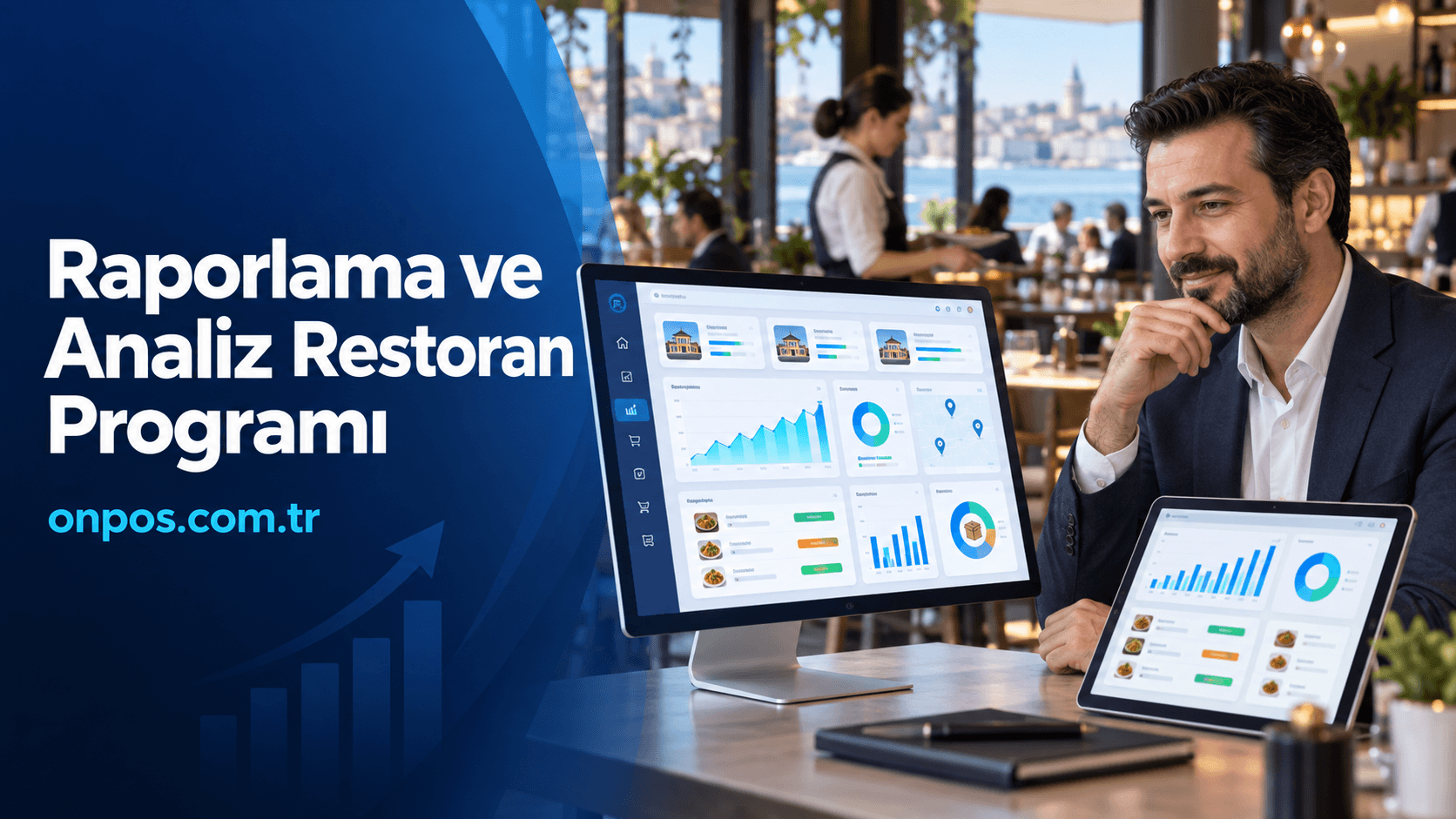
In restaurant management, making sales alone is not enough. You need to see correctly how much was sold during the day, which products were preferred more, how much money should be in the register, why stock dropped and which branch is working more efficiently. A reporting and analytics restaurant program gathers the business's sales, register, stock, order, staff and branch data in a single center, helping managers make decisions with real data rather than guesses.
Tracking methods run on paper checks, separate Excel files, message groups and end-of-day notebooks become inadequate as the business grows. When order density increases, errors multiply, finding the source of register discrepancies becomes harder and stock losses are noticed late. In businesses with more than one branch, the information arriving from each branch in a different format stops being comparable.
A correctly configured Onpos Restaurant Program organizes daily operations while offering the business owner a more transparent management infrastructure in which they can measure their activities. This way, not only past sales are seen; product performance, busy hours, stock movements, payment distributions and branch results can be evaluated together.
What Is a Reporting and Analytics Restaurant Program?
A reporting and analytics restaurant program is a digital business management solution that records the sales, order, payment, check, register and stock movements taking place in a restaurant and turns these records into meaningful reports.
The system regularly collects the data generated at the point of sale. The business owner or an authorized manager can review this data daily, weekly, monthly or over another date range they choose. This way, the answer to the question “How was business today?” is no longer limited to total turnover.
With a proper reporting structure, clearer answers can be obtained to the following questions:
-
What was the total daily sales figure
-
How were cash and card collections distributed
-
Which products sold the most and the least
-
At which hours did order density increase
-
Which products were canceled or marked as complimentary
-
Is there a sales difference between branches
-
Is stock consumption consistent with actual sales
-
What share do delivery orders have in the business's turnover
-
How is the sales performance of product groups changing
-
Does the expected amount match the actual amount at register closing
This system is not needed only by large restaurant chains. A small cafe with high daily activity, a diner that offers delivery, a patisserie with a wide product range or a buffet that does not want to suffer stock losses can also benefit significantly from reporting and analytics tools.
What matters is not so much the size of the business as whether the operation is controllable. Even if the business owner stands at the register all day, they cannot keep track in their head of kitchen production, stock movements, delivery, staff transactions and product profitability all at once. The software's job is to turn these scattered movements into orderly, reviewable data.
Why Should Businesses Use a Reporting and Analytics Restaurant Program?
In restaurants, cafes and similar food and beverage businesses, seemingly small errors can turn into serious costs by the end of the month. An incorrectly entered order, an unrecorded complimentary item, an under-collected payment or stock that does not match the recipe may each look insignificant on its own. But when this repeats every day, large gaps form between the business's real earnings and its records.
The purpose of using a reporting and analytics restaurant program is not simply to see more tables. The real aim is to be able to understand in time where the business earns money and where it loses it.
It helps reduce register discrepancies
In manual register tracking, the end-of-day total is usually calculated by bringing together receipts, checks and payment device results. Doing this correctly at the end of a busy day is not easy.
Thanks to digital register management, recording sales by payment type makes it easier to calculate the expected register amount. Cash, credit card and the other payment methods used by the business can be evaluated separately. This way, when a discrepancy occurs, it becomes easier to investigate in which shift, user or transaction group it arose.
It makes stock losses visible
In a business, the cause of stock loss is not only products being stolen. Incorrect portioning, production that does not follow the recipe, spoilage, short goods receipt, unrecorded complimentary items and incorrect stock entries can also lead to loss.
When sales and stock tracking are run in connection with each other, the effect of sold products on stock can be monitored more consistently. For example, if a certain number of hamburgers were sold, the consumption this sale should have created in bread, patties, cheese and other ingredients can be compared. If a constant difference arises between actual usage and expected usage, the business management can investigate the source of the problem.
Onpos Market Program also offers solutions for markets, corner shops and retail businesses with a wide product range and heavy stock movement to track their sales and inventory processes digitally.
It helps prevent order mix-ups
In businesses working with paper checks, illegible notes, orders reaching the kitchen late and products sent to the wrong table are common problems. These errors do not only create costs; they also directly affect customer satisfaction.
With digital order management, recording the order with the correct table, product, quantity and note becomes easier. The flow of information between kitchen and service becomes more orderly. Which order was opened when and at which stage its process is can be tracked more comfortably.
It makes staff transactions auditable
It is not right for every user in a business to have the same permissions. The information that the waiter, the cashier, the branch manager and the business owner need to see or change may differ.
Thanks to user-based transaction records and the authorization approach, which transaction was performed by whom can be monitored. Keeping critical transactions such as product deletion, check cancellation, complimentary items, discounts or payment changes under control strengthens business discipline.
It speeds up end-of-day processing
The end-of-day report should not only show total turnover. The business needs to evaluate the payment distribution, product sales, cancellations and discounts, open checks and register status together.
Thanks to digital reporting, checks can be carried out on the movements recorded in the system instead of gathering information from different sources. This shortens the closing time while helping the manager make a sounder assessment.
It organizes the delivery operation
In delivery orders, the customer's details, order content, delivery address, payment method and courier status must be managed correctly. When orders increase, tracking done by phone, note paper and messaging apps may fall short.
Running the delivery process together with the sales system creates a more orderly workflow from order taking to delivery. For their courier operations, businesses can review the Onpos Courier Tracking Program page.
It creates a common management order across branches
In businesses with more than one branch, each branch working with different methods creates a serious control problem. Managing product names, prices, campaigns, user permissions and the reporting order over a central structure helps preserve the operational standard.
Thanks to central reporting, branches can be compared with the same criteria. However, making only a turnover comparison is not right. The branch's transaction count, average check, product distribution, busy hours, cancellation rate and stock movements should also be evaluated.
What Does Onpos Provide to Businesses?
Onpos Software offers solutions for restaurants, cafes, diners, fast food businesses, patisseries, markets, corner shops, buffets and multi-branch businesses to manage their sales and operational processes digitally.
Onpos's website lists features within the scope of restaurant packages such as a kitchen display, stock and recipe, cover and service charge, advanced reporting and analytics, multi-integration management, and an owner and waiter app. The chain management structure also includes additional modules such as branch management and central definition. Since the features a business needs may vary by the package chosen, the scope must be clarified before purchase. Onpos's current packages and features can be reviewed on the official website.
Cloud-based usage
The cloud-based business program approach lets the manager reach the data within their authority without being tied only to the main computer at the business. This structure is especially important for owners who cannot go to the business every day and for companies with branches in different locations.
The real value of a cloud system is not only that the data resides on the internet. Keeping sales information centrally, letting different users work with the same up-to-date data within the framework of their permissions and allowing branch results to be monitored over a common structure raises management quality.
Remote access
When the business owner is out of town, they should not have to get information about the state of sales by phone. When the proper permissions and connection conditions are met, being able to review sales and operational data from the management screen makes remote management more reliable.
This feature does not mean distrusting employees. On the contrary, it makes business rules independent of individuals and measurable. A transparent record order protects both the owner and the employee.
Sales and register control
Recording sales transactions in the central system forms the basis of register control. Associating the product sale with the payment record makes the business's end-of-day check easier.
Sales data should not only answer the question “how much did we sell”. Breakdowns such as product, category, user, branch, date and payment type give meaning to the business's performance. A particular product selling a lot does not always mean it brings high earnings. The product's cost, portion and sale price must be considered together.
Stock and recipe tracking
Restaurant stock management is not only knowing how many kilograms of product remain in the warehouse. It is also necessary to evaluate in which products raw materials are used and how they are consumed along with sales.
Setting up the stock and recipe order correctly can provide the following benefits:
-
More consistent monitoring of product consumption
-
Critical stock levels being noticed earlier
-
Purchasing plans being made according to sales data
-
Reduced spoilage caused by over-ordering
-
Portion and recipe standards being preserved
-
Consumption differences between branches being examined
No matter how advanced the program is, an incorrectly defined recipe does not produce a correct report. For this reason, product cards, units of measure, opening stock and recipes must be created according to the business's real working order.
Order and check management
The restaurant program's success in the field is directly related to how much it simplifies order taking. Staff must be able to find the product quickly during busy hours, select quantities, add the necessary note and send the order to the correct table.
Within check management, core transactions such as opening a table, adding products, taking payment and closing the check must be clear and understandable. Complex screens slow staff down. A practical POS system also eases the training process for a new employee.
Reporting convenience
The purpose of report screens is not to drown the manager in numbers. It is to show critical information quickly and to make it easy to reach the relevant movement when detail is needed.
The core indicators the business owner should review regularly are as follows:
| Report title | What it shows | Its benefit for management |
|---|---|---|
| Daily sales report | Total sales movements during the day | Tracking daily performance |
| Payment type report | Cash and other payment distributions | Register control |
| Product sales report | Products' sales quantities and distribution | Menu decisions |
| Hourly sales report | How sales density changes during the day | Shift and preparation planning |
| Cancellation and complimentary report | Transactions canceled or entered as complimentary | Permission and loss control |
| Stock movement report | Inbound, outbound and consumption movements | Purchasing and inventory control |
| Branch report | Location-based operational results | Comparing branches with common criteria |
| User transaction report | Transactions performed by staff | Operational audit |
For these reports to benefit the business owner, they must be read regularly. A report looked at only at month's end may show a problem that could have been addressed during the week too late. A short daily check, a weekly performance evaluation and a monthly management analysis create a healthier order.
Organizing staff transactions
Evaluating staff performance only by sales amount can be misleading. The shift worked, the number of tables served, transaction density and area of responsibility should also be taken into account.
Thanks to digital transaction records, user activity can be tracked more consistently. Defining permission limits, tying critical transactions to manager approval and running shift closings systematically support business discipline.
Delivery and courier processes
In businesses offering delivery, the delivery organization runs in parallel while the order is being prepared in the kitchen. As the number of couriers, delivery zones and order density increase, the operation becomes more complex.
Thanks to the delivery system working in harmony with the restaurant program, the need to rewrite the order separately at the register, kitchen and delivery stages can be reduced. Businesses taking orders from online channels can check the options suited to their needs in the Onpos Online Order Integrations section.
It should not be forgotten that the integration scope can vary by platform, license and package. The sales channels the business uses must be stated clearly in the demo meeting.
Central management for multi-branch businesses
In multi-branch management, the greatest need is to be able to preserve standards as much as to see all locations in the same system. If a price change, product definition, user permission or report format is managed separately in each branch, the probability of error increases.
The central management approach can provide advantages in the following areas:
-
Monitoring sales on a branch basis
-
Performance comparison between branches
-
Preserving the central product and price order
-
Controlled definition of user permissions
-
Examining stock movements on a location basis
-
Receiving management reports at a common standard
-
New branches adapting more easily to the existing order
Every business's branch management model is different. In some companies purchasing is done centrally, while in others the branches work independently. For this reason, the business's permission, stock, product and price management rules must be clarified before the software is installed.
A working approach compatible with POS and payment processes
A business program should not make the payment stage harder while speeding up the sales process. Compatibility with the hardware, printer, payment infrastructure and legal requirements in use must be evaluated before purchase.
The Onpos site has payment, legal and various other integration categories. However, it should not be assumed that every integration is included in all packages. The makes and models of the existing devices together with the connections needed must be reported to the technical team before the demo.
A structure that adapts to the business's growth
A business that works with a single register today may start delivery tomorrow, add a new user or open its second branch. For this reason, software should be chosen not only for the current need but for the business's growth goals over the next few years.
A solution suited to a modular and multi-branch structure can reduce the need to change systems at each growth step of the business. However, it is also not right to buy all modules that will not be used in the future on day one. The healthiest method is to determine the core needs and share the expansion plan with the provider from the start.
Which Businesses Is a Reporting and Analytics Restaurant Program Suitable For?
A reporting and analytics restaurant program can be considered for almost any food and beverage business that has sales, order, register or stock movement.
Small restaurants and cafes
In small businesses, the owner being on top of the work often seems to provide sufficient control. But as the number of orders increases, management based on memory and observation becomes inadequate.
With a reporting system, small businesses can monitor their best-selling products, busy hours, payment distributions and daily sales more regularly. This information is important for product preparation and staff planning.
Diners and fast food businesses
In businesses that sell quickly, even a few seconds of delay can grow the customer queue. Products must be easy to select, the order must be recorded correctly and payment must be completed quickly.
Hourly sales and product reports help with preparation for busy periods. Seeing which products sell more at certain hours lets kitchen preparation be planned more realistically.
Patisseries and buffets
Patisseries can have both fast retail sales and production-based stock tracking. In buffets, the transaction count is high and the transaction time is short. In both business types, recording product movements correctly and preserving sales speed is important.
Markets and corner shops
In markets and corner shops there are many products, barcodes, prices and stock movements. Running sales tracking together with stock control makes it easier to identify items that are running out and fast-moving groups.
Businesses offering delivery
In businesses receiving demand from phone, web and online order channels, orders must be managed in a common operational order. Address, payment and courier information getting mixed up can lead to delays and customer complaints.
Multi-branch businesses
For multi-branch businesses, central management is not a preference but a requirement of corporate control. Even if the branches are in different locations, management should monitor the same core indicators and preserve common working standards.
Real Business Scenarios
A small cafe selling at busy hours
In a small cafe, orders increase rapidly at lunchtime. Waiters write orders on paper, kitchen staff queue the notes and the cashier adds up the checks during payment.
When the rush starts, some products are reported to the kitchen late, tables get mixed up and customers wait for the check. At the end of the day the owner can only see the register total and cannot understand which product sold more at which hour.
With Onpos, running order and check transactions in a digital order can make it easier to record product movements and for the manager to review sales reports. The owner can determine busy hours and arrange the shift and preparation plan accordingly.
A market or corner shop experiencing stock loss
In a neighborhood market, certain products keep declining, but it cannot be understood whether the shortage comes from sales, a counting error or the goods receipt process.
In the old method, purchase invoices are kept in a separate file, sales at the register and count results in a notebook. Comparing these records takes time, and by the time the problem is noticed weeks have passed.
Monitoring sales and stock movements in the same business program can let differences be seen earlier. The manager can review fast-selling items, products that have not moved for a long time or items that do not match the records more regularly.
A restaurant with heavy delivery volume
A restaurant takes orders by phone, web and different online channels. Orders are first written on paper, then relayed to the kitchen and then a suitable courier is sought.
During busy hours orders are delayed, address details are transferred incorrectly and the status of some payments gets mixed up. The owner cannot see whether the delay stems from the kitchen or the courier plan.
Running delivery, order and courier processes in a more integrated way can make the order's stages visible. Business management can review the order count, delivery order and channel-based sales and plan the necessary operational changes.
An owner who cannot go to the business every day
When the business owner is in a different city, they call the manager to learn the daily turnover. Even if the manager shares the total sales figure, they cannot give detailed information about payment distributions, cancellations, stock status and product performance.
Information received by phone is not enough to evaluate the business's real state. Moreover, every information request creates a loss of time for both the manager and the employee.
Thanks to the cloud-based reporting approach, the owner can reach the data within their authority remotely. In addition to sales, they can review critical operational indicators and, when needed, ask the manager for an explanation.
A company managing multiple branches
In a three-branch restaurant chain, each branch uses a different Excel file. Because product names, stock entry formats and reporting methods are not the same, central management cannot compare the results soundly.
One branch's turnover may look high, yet its cancellation rate and stock consumption are also high. The other branch's turnover is lower, but its product mix and operational order are more efficient.
Thanks to central management and a common reporting system, branches can be evaluated on the same criteria. Management can look not only at turnover but at transaction count, average check, product performance, payment distribution and stock movements together.
Advantages of Cloud-Based Business Management
Cloud-based business management offers a more flexible usage approach than the traditional structure in which business information is kept on a single device.
Central data tracking
Data coming from branches or different points of sale can be evaluated in a common management structure. This way, the need to merge different files and prepare reports manually decreases.
Remote control
An authorized manager can reach the sales and reporting screens even at times when they are outside the business, under suitable connection conditions. This feature is important especially for managers who travel or deal with more than one business.
More consistent reporting
Reports produced over the same system have a common data structure. Comparison problems arising from different calculation methods being used between branches decrease.
Suitability for branching out
When a new branch is opened, adapting the existing product, user and management standards to the new location can become easier. Central management can keep the growing business under control from a single point.
Reaching up-to-date data
Instead of old tables sent at the end of the week, fresher information created as records are entered into the system can be evaluated. This lets management intervene in problems earlier.
Cloud infrastructure alone does not guarantee successful business management. User permissions, data entry discipline, internet infrastructure, the backup approach and the technical support process must also be evaluated.
What to Pay Attention to When Choosing a Business Program
Suitability for the business type
The needs of restaurant, market and delivery businesses are not the same. Whether the program suits the business's real way of working should be examined.
Ease of use
The screens to be used during busy hours must be simple, fast and suitable for touch use. During the demo, transactions should also be tried directly by the staff.
Reports being understandable
Having a large number of reports is not an advantage on its own. The needed data must be reachable quickly and the reports must be presented in a form the manager can understand.
Stock and recipe management
For businesses using raw materials, the recipe structure, units of measure, stock deduction and counting processes must be examined in detail.
Register and permission control
It must be asked how user permissions are arranged in transactions such as cancellation, complimentary items, discounts, payment changes and check closing.
Multi-branch management capacity
Businesses aiming to open new branches should evaluate central definition, branch reporting and user management features from the start.
Remote access
It must be clarified from which devices the business owner can reach which data and with which permissions.
Delivery and integration needs
The online order channels, payment devices and other systems in use must be prepared as a list, and compatibility must be verified over the technical scope, not verbal assumptions.
Technical support and training
It must be learned how staff will be trained after installation, through which channels support requests will be submitted and how action will be taken outside working hours.
Hardware compatibility
Compatibility with existing computers, check printers, barcode readers, kitchen displays and payment devices must be checked before purchase.
Long-term growth goal
The program should not be chosen only according to today's user and register count. Goals such as branching out, delivery, QR menu and new sales channels should also be taken into the evaluation.
Total cost of use
In addition to the license fee, installation, training, hardware, integration, additional user, branch and support costs must also be asked about. The current scope and price quote should be received in writing.
Frequently Asked Questions
What does a reporting and analytics restaurant program do
It records sales, register, order, stock and user transactions and helps the business owner evaluate the operation over measurable data.
Which businesses is a reporting and analytics restaurant program suitable for
It is suitable for restaurants, cafes, diners, fast food businesses, patisseries, buffets, delivery businesses and multi-branch companies. Markets and corner shops that work mainly with stock can also benefit from sales and stock solutions suited to them.
What is the advantage of using a cloud-based business program
It makes it easier for authorized users to reach business data from different locations, for branches to be monitored centrally and for reports to be evaluated over a common system.
Can stock and register tracking be done from the same system
Onpos's site lists a stock and recipe module and advanced reporting and analytics features within the scope of restaurant solutions. Whether the detailed scope the business needs is included in the package to be chosen must be verified in the demo meeting.
Is it suitable for multi-branch businesses
The Onpos site states that branch management and central definition modules are offered within the scope of restaurant chain management. The branch count, user structure and central management needs should be shared before the quote.
Can the business owner track sales remotely
A cloud-based structure suitable for remote access can help the owner review sales and reporting data from outside the business within the framework of their permissions. The terms of use must be clarified according to the chosen package and technical structure.
Can a QR menu be used together with the restaurant program
Onpos has a QR Menu solution available. How the QR menu works with order and POS processes should be evaluated during the demo according to the usage model the business requests.
How often should reports be checked
It is useful to check daily sales and register reports at every closing. Product, stock, staff and branch performance can be reviewed weekly; broader cost and management evaluations can be examined monthly.
Does a restaurant program completely prevent stock loss
No software can prevent all losses on its own. However, when used together with correct definitions, recipes, user permissions and regular counting processes, it makes it easier to notice losses and investigate their causes.
How can an Onpos demo request be submitted
You can contact us or send your demo request through the Onpos contact page by specifying your business information and the modules you need.
Start Managing Your Business with Data
Managing sales, stock, register, order, staff and reporting processes with manual methods becomes harder and riskier as the business grows. Missing records, reports prepared late and information arriving from branches in different formats prevent the manager from making the right decision.
A well-built reporting system does not only show what happened in the past. It also reveals which products stand out, at which hours there is a rush, which branch works more regularly and where control needs to be strengthened. This way, the business owner can base decisions not on guesses but on recorded, comparable data.
To evaluate the reporting and analytics restaurant program solution suited to your business and to review the structure Onpos offers, you can submit a demo or contact request via onpos.com.tr.