In restaurants, cafes, markets or delivery businesses, even a few minutes of halted sales can turn into a serious operational problem. A dropped internet connection can prevent orders from being taken, create customer queues at the register, mix up checks and disrupt payment processing. A connection problem experienced during peak hours in particular directly affects both turnover and customer satisfaction.
For this reason, choosing a program that simply runs fast is not enough for businesses. How the system in use behaves in the face of connection problems must also be examined. An offline-capable POS system is a structure that aims to let the business continue its core sales and order operations as much as possible when the internet connection is temporarily lost.
However, offline capability is not offered at the same scope in every POS software. While some systems only continue recording sales, others can use certain portions of product, customer, table, check or stock data locally. For this reason, the business's needs must be identified and the software's offline working scope must be clearly verified during the demo.
A correctly configured POS system makes sales, register, stock, order, staff, delivery and reporting processes more orderly while also keeping the business prepared for connection outages.
What Is an Offline-Capable POS System?
An offline-capable POS system is a sales and management infrastructure that helps a business continue its defined core transactions when there is no internet connection or when the connection is temporarily lost.
Traditional cloud-based programs may need a continuous internet connection to process and update data. In the offline working approach, on the other hand, the data and transactions the system permits can be used temporarily on the device. When the internet connection is restored, the goal is for the records created during the offline period to be synchronized with the central system.
Let us think through a simple example: the restaurant's internet connection drops during a busy evening hour. In a system that works entirely online and loses its function when the connection drops, waiters may not be able to enter new orders. Register staff may not be able to reach open checks and the kitchen order flow may be disrupted.
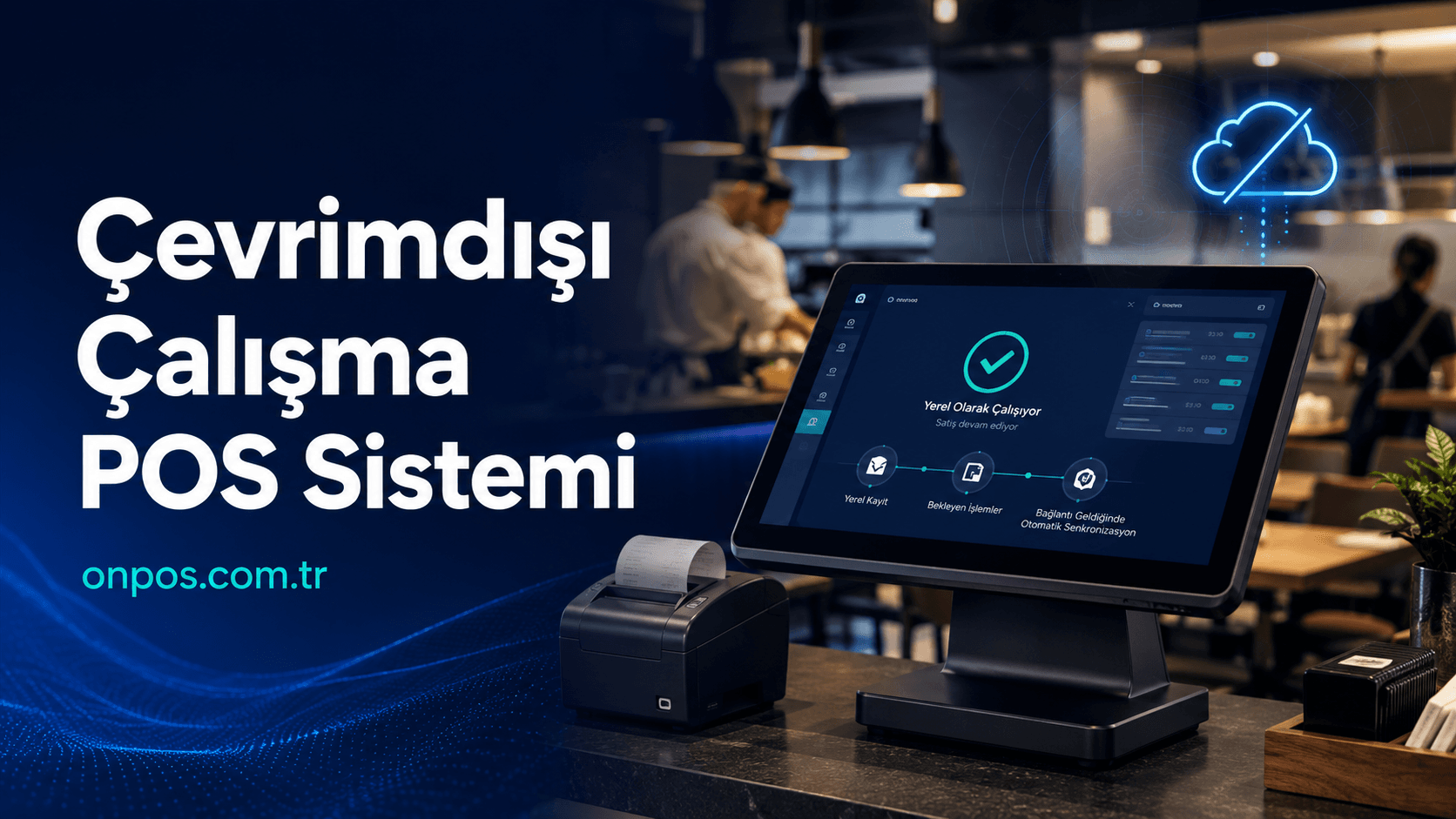
In a suitable structure with offline working capability, on the other hand, supported transactions can be continued locally until the connection returns. When the connection is established, records can be transferred to the central system. This way, instead of the operation stopping completely, it becomes possible for it to continue in a controlled manner.
There is an important distinction to note here: creating an offline sales record and approving a bank card payment offline are not the same transaction. Bank POS devices, payment institutions and fiscal devices are subject to their own connection and security rules. The business program working offline does not mean that credit card collections or all official transactions can be performed without a connection.
How Does an Offline-Capable POS System Work?
The technical structure of offline working systems varies according to the software used. The general working logic can be examined in three stages:
Preparing the data for use
Products, prices, user permissions, table information or other core records the business needs are made securely usable on the device. Which data is kept on the device depends on the system's architecture and security policy.
Local processing when the connection drops
When the internet drops, the program executes the transactions it supports over local data. Transactions such as sales records, order entry or check editing can be stored temporarily on the device.
Synchronization when the internet returns
When the connection is re-established, pending records are transferred to the central data structure. If more than one transaction was performed on the same stock, order or register record during synchronization, how the system manages these differences is important.
In a well-designed structure, the user must be able to clearly see that the system is offline and understand which transactions have been completed and which are awaiting synchronization. A program that silently loses records or does not show the connection status to the user creates a serious risk for the business.
Why Should Businesses Use an Offline-Capable POS System?
Although internet infrastructure has improved compared to the past, it can never be guaranteed that the connection will never drop. Regional outages, modem problems, service provider interruptions, cable problems, power fluctuations and network device failures can affect the business's connection.
Relying only on the internet for sales continuity is not right. Especially in businesses that take dozens of orders within minutes, it is necessary to be prepared for an outage.
Reducing lost sales
Telling a customer waiting at the register “The system is not working” does not only cause that sale to be lost. The customer's trust in the business can also be damaged. When the customer turns to another business, they may not come back.
A structure that can continue supported transactions offline helps prevent the sales operation from stopping completely during a connection problem.
Preventing order mix-ups
In restaurants and cafes, switching to taking orders on paper when the internet drops may seem practical at first glance. But the table number, product option, portion, complimentary item, cancellation and payment details can get mixed up in a short time.
When the system comes back up, the orders on paper have to be entered into the program one by one. This can lead to problems such as duplicate records, missing collections and incorrect stock deductions.
Keeping register discrepancies under control
When sales are kept outside the system, the cash in the register and the sales total in the program may not match at the end of the day. Determining which sale was collected in cash and which by card or a different payment type becomes harder.
Transactions being recorded inside the system during the offline period can help the end-of-day check be performed more soundly after the connection is established.
Tracking stock movements more regularly
In markets, corner shops, buffets and restaurants, every sale has an effect on stock. Sales made while the internet is down not being recorded leads the stock quantity in the program and the real shelf or warehouse quantity to drift apart.
Offline transactions being synchronized correctly afterwards contributes to the continuity of stock records. However, in businesses where more than one device works offline at the same time, how stock conflicts are managed must definitely be asked.
Reducing staff errors
When the system stops, staff developing their own methods makes control harder. One employee may keep records in a notebook, another on a phone, someone else in a separate Excel file. Bringing this information together in one place when the connection returns creates a serious loss of time.
A standard outage procedure and business software that can work offline make it clearer how staff should act.
Protecting branch operations
In multi-branch businesses, a single branch's internet connection may drop while the other branches keep working. The local branch continuing its sales activity and the records being transferred to the center later is important for the continuity of the total operation.
How Does an Internet Outage Harm a Business?
The effect of an internet outage is not only the register not working. Many interconnected processes can be affected, from sales to the kitchen and from stock to management.
| Operational area | Problem that may arise when the connection drops | Benefit the offline working approach can provide |
|---|---|---|
| Sales | Products cannot be selected or a sales record cannot be opened | Supported sales transactions are continued locally |
| Register | Payment types and collections get mixed up | Transactions are kept on record |
| Check | Open tables cannot be reached | Supported table and check transactions continue |
| Kitchen | Order transmission is cut off | Order flow is preserved according to the local network and printer structure |
| Stock | Sales are not deducted from stock | Records are synchronized after the connection |
| Delivery service | Address and order information is lost | Limited access to existing order records can be provided |
| Reporting | The center cannot see real-time data | Data is transferred to the center after the connection returns |
| Branch management | The branch's connection with the center is lost | The branch can continue certain transactions independently |
Not all of the benefits in the table are standard in every software. For this reason, when making a purchase decision, one should not settle for the question “Does it work offline?”; which functions can be used offline must be learned in detail.
Can an Offline-Capable POS System and a Cloud-Based System Be Used Together?
Yes. Being cloud-based and offline transaction support are not opposites. A correctly designed hybrid system can bring together the central management advantages of cloud technology with certain offline working capabilities.
The cloud-based structure provides the business owner with benefits such as remote access, central reporting, branch comparison and viewing data from different devices. Offline working, on the other hand, aims for supported operations to continue during a connection outage.
The ideal approach for businesses is as follows:
-
While there is a connection, data is synchronized regularly with the central system.
-
When the connection drops, supported core transactions continue locally.
-
The user is informed about the offline working status.
-
When the internet returns, pending records are transferred in a controlled manner.
-
Possible conflicts are shown to the user or the authorized manager.
-
When synchronization is complete, reports are refreshed with current data.
This structure is important especially for multi-branch restaurants, market chains, businesses operating in tourist regions and locations where the internet connection is occasionally unstable.
What Does Onpos Provide to Businesses?
Onpos is a business software that offers solutions for restaurants, cafes, markets and similar businesses to manage their operations digitally. On the official Onpos pages there are solutions aimed at different operational areas such as order management, payment processes, stock tracking, reporting, courier tracking, QR Menu and multi-branch management.
Onpos's suitability for your business should not be evaluated only from a feature list. Your business's way of working, user count, branch structure, hardware, internet infrastructure and the offline usage scenario you expect must be considered together.
Cloud-based business management
The cloud-based structure helps the manager access business data from different devices within the scope of their authority. The business owner can review sales, stock and operational data even when not at the workplace.
This capability is valuable especially for managers who cannot go to the business every day and for companies controlling more than one branch.
Sales and register control
Sales being recorded through the system ensures that daily turnover and payment types are tracked more regularly. Cash, bank card and other payment types being tracked separately can make the end-of-day check easier.
Regularly comparing the physical amount in the register with the sales total in the system helps register discrepancies be detected earlier.
Stock tracking
Stock tracking is not only seeing how many products are left on the shelf. Movements such as sales, purchases, returns, waste, complimentary items, production and inter-branch transfers must be recorded correctly.
The Onpos Market Program is evaluated; needs such as barcoded sales, product definition, price management, stock movements and reporting should be examined in line with the business's own operation.
In restaurants, on the other hand, recipe- or ingredient-based stock tracking gains importance. When a plate of product is sold, the effect of the ingredients used on stock being calculated correctly helps the real cost be seen.
Order and check management
In restaurants and cafes, the order must be conveyed correctly between the waiter, the register and the kitchen. When details such as product changes, extra ingredients, contents to be removed, portion preference and table information are conveyed verbally, the risk of error rises.
The Onpos Restaurant Program is a solution aimed at businesses that want to handle order, payment, stock and business management processes within the same digital structure.
Ease of reporting
Reporting is not merely seeing past sales. The business owner needs to find accurate answers to the following questions:
-
Which product sells more?
-
Which are the busiest days and hours?
-
Which product has high sales but low profitability?
-
Is there an unusual increase in cancellation and complimentary rates?
-
How do turnover and product performance vary between branches?
-
In which shift does the register discrepancy arise?
-
In which product group are stock losses concentrated?
Regular reports let the business owner make decisions based on data rather than guesses.
Organizing staff transactions
The business program should be used not only to track staff but also to organize authorities and responsibilities. The cashier, waiter, kitchen staff, branch manager and business owner should not have the same authorities.
Thanks to user-based authorization, critical authorities such as changing prices, deleting products, entering complimentary items, closing checks, viewing reports or editing past transactions can be kept under control.
Delivery and courier processes
In businesses that offer delivery, taking the order alone is not enough. Preparation, courier assignment, delivery and collection processes must also be tracked.
The suitability of the module to be used for courier processes for the business's delivery model must also be examined. Workflows such as which courier the order was given to, the delivery status and how courier collections are closed should be tested during the demo.
Central management for multi-branch businesses
In multi-branch structures, each branch using a different method makes growth harder. Product names, prices, recipes, user permissions and reports must be managed according to certain standards.
Thanks to the central management approach, the business owner can evaluate branches within a shared structure. However, when and how branch data will be transferred to the center during the offline period must definitely be clarified.
Adapting to the business's growth
A business working with a single register today may open new devices, additional users or different branches tomorrow. For this reason, software should be chosen not only for current needs but according to the growth plan for the next few years.
How additional user, branch, device, module and integration needs are met should be learned before purchase.
Which Businesses Is an Offline-Capable POS System Suitable For?
Almost every business where an internet outage affects the sales or service flow should evaluate the offline working option.
Restaurants and eateries
Table orders, open checks, the kitchen flow and payment processes are interconnected. The system stopping during a busy service can affect the whole dining room's operation.
Cafes and patisseries
In businesses where orders are taken quickly, customers do not want to wait long at the register. Sales stopping completely when the connection drops can cause customer loss.
Fast food businesses
Order volume is high and transaction time is short. The flow between the order screen, the kitchen and the pickup point must be resistant to outages.
Markets and corner shops
In markets, the customer queue can grow very quickly. How transactions such as barcoded sales, price information and payment records are executed during a connection outage is critically important.
Buffets
Small businesses often have a single register. A single device or the internet connection going down can lead to sales stopping completely.
Businesses that offer delivery
In a delivery operation, order, address, kitchen, courier and collection information is managed together. An internet outage can affect not only new orders but also orders being prepared or out for delivery.
Multi-branch companies
One of the branches experiencing a connection problem can cause central reports to appear temporarily incomplete. The branch operation continuing locally and the records being transferred afterwards is important.
Seasonal and tourist businesses
In tourist regions, high transaction volume can be reached in a short time. A few hours of outage during the summer season or on special days can cause a much larger financial loss than on a normal day.
Real Business Scenarios
1. A cafe whose internet drops at a busy hour
A cafe takes heavy takeaway and table orders during morning and lunch hours. When the internet drops, employees start writing orders on paper. Some orders reach the kitchen late, product options get mixed up and two tables are closed with the wrong check.
In a system that supports offline transactions, staff can continue permitted order and sales transactions within the same order. With records being synchronized when the connection returns, the need for manual data entry afterwards can be reduced.
The operational benefit is fewer order errors, shorter waiting times and sounder register control at the end of the day.
2. A market or corner shop experiencing stock loss
In a market, sales are temporarily written in a notebook during internet outages. Due to the rush, some products are not recorded. When sales are entered into the program in the evening, barcode, quantity and payment type errors occur.
A few weeks later, the stock shown in the program and the real product quantity on the shelf start to mismatch. The business owner cannot determine whether the loss stems from theft, a miscount or missing sales records.
Keeping offline sales inside the system and synchronizing them after the connection can reduce manual data entry. This makes it easier to preserve the relationship between stock and sales.
3. A restaurant with heavy delivery volume
A restaurant receives heavy demand in the evening hours over the phone and different order channels. When the connection drops, the kitchen order queue, courier assignments and customer addresses are written on different papers.
While one order is prepared twice, another order is forgotten. When the courier returns from delivery, which collection belongs to which order gets mixed up.
A suitable business software can help track the status of orders taken before the outage more regularly. Depending on the scope of functions that can be used offline, new orders and collections can also be recorded. When the internet connection returns, the data created can be transferred to the central system.
4. A business owner who cannot go to the business every day
While the business owner is in a different city, the branch's internet drops. They see on the cloud panel that sales have stopped but cannot understand whether this happened because there are no customers or because of a connection problem.
It is important that the offline working status is clearly shown by the system. Pending records being transferred when the branch connection is re-established lets the manager evaluate the whole day more accurately.
The critical expectation here is knowing that the center cannot see real-time data during the offline period. Cloud reports can be updated after synchronization is complete.
5. A company managing multiple branches
In a restaurant chain with three branches, products and prices are managed from the center. When the connection drops in one of the branches, this branch needs to keep making sales.
If offline transactions can be continued locally, the branch does not have to close completely. When the connection is re-established, records can be added to the central reports. This way the business owner can compare the branches' daily turnovers and product performances in a shared structure.
However, there is a possibility of conflict between the prices changed from the center during the outage and the old prices in the branch. How the software resolves such synchronization differences should be tested before purchase.
Advantages of Cloud-Based Business Management
Remote access
The business owner can reach management information over a computer, tablet or phone within the scope of their authority. This way they can monitor sales and operational performance without physically being at the register.
Central data structure
Managing product, price, user and branch information in a shared system reduces data scatter. The uncertainty created by disconnected Excel files on different computers can be prevented.
Branch comparison
Multi-branch businesses can compare data such as turnover, product sales, stock and staff performance on a branch basis. This way successful practices can be transferred to other branches and weak points can be identified earlier.
Regular reporting
Daily, weekly and monthly reports make it easier to measure the business's development. Seasonal changes, busy hours and product preferences can be seen more clearly.
Controlled authorization
Defining different permissions for each user helps keep critical transactions under control. Transaction history being traceable on a user basis makes determining responsibilities easier.
Infrastructure suited to growth
When a new branch, user or sales point needs to be added, the cloud-based structure can make expansion easier. However, license terms, device limits and module costs should be evaluated beforehand.
Security and Data Integrity in Offline Working
While offline working provides convenience, it creates new responsibilities in terms of data security. If data is kept on the device, risks such as the device being lost, stolen or used by unauthorized persons must be considered.
The main topics to be evaluated are as follows:
-
Whether local data is encrypted
-
How user sessions are verified
-
Whether offline transaction permissions can be restricted
-
Whether deletion, cancellation and price change transactions are recorded
-
In what order data is synchronized when the internet returns
-
How conflicting records are resolved
-
Whether failed synchronizations are reported to the user
-
How pending records are protected in case of device failure
What matters for the business is not only that sales continue. The sale must be recorded with the correct user, correct price, correct payment type and correct stock movement.
What Should You Pay Attention to When Choosing a Business Program?
1. Ask about the offline working scope
Do not accept the statement “The program works offline” as sufficient on its own. Learn separately which of the sales, check, stock, kitchen printer, courier, collection and reporting functions can be used.
2. Request a real outage test
During the demo, ask for the internet connection to be turned off and sample transactions to be performed. Then have the connection turned back on and see how the records are synchronized.
3. Evaluate suitability for your business
The workflow of a restaurant and a market is not the same. List your needs such as table management, barcoded sales, recipes, weighed products, delivery or branch transfers.
4. Examine ease of use
The program may be technically powerful; however, if staff struggle to use it, it provides no efficiency. Test how quickly a new employee can learn it and how fast the screens can be used during busy hours.
5. Examine stock control in detail
Learn how sales, purchase, return, waste, complimentary item, production and transfer movements are processed. Check whether the stock report shows only quantity or also cost and movement history.
6. Evaluate the reporting options
A turnover report alone is not enough. Examine which reports can be taken on a product, category, payment type, user, shift and branch basis.
7. Check user permissions
Permissions such as price change, complimentary items, cancellation, return, register closing and report viewing must be configurable on a user basis.
8. Learn the technical support process
Ask which channel support is received through when a problem occurs, the support hours and remote connection capability. Learn in advance the procedure to be applied for internet outages, device failures and data synchronization problems.
9. Have your existing hardware checked
The compatibility of the register computer, barcode reader, printer, touch screen, cash drawer, bank POS device and fiscal devices should be evaluated separately.
10. Examine the remote access structure
Check which reports you can reach from outside the business, how user verification is performed and whether permissions can be restricted.
11. Take your branching goal into account
Even if you have a single branch today, if you have a growth plan, learn whether products, prices, users, stock and reports can be managed from the center.
12. Calculate the long-term cost
Do not only look at the starting price. Evaluate user, branch, support, update, device, module and integration costs together.
13. Ask about backup and data security
Where the data is kept, how it is backed up and how it is restored in case of failure must be explained.
14. Request references and a demo
Examples of businesses working in a similar sector and with a similar transaction volume can make your decision easier. A live demo lets you see the difference between the features written in the brochure and real use.
Frequently Asked Questions
What does an offline-capable POS system do?
It helps supported sales, order or check transactions be continued locally for a certain period when the internet connection drops. When the internet returns, the aim is for the records to be synchronized with the central system.
Which businesses is an offline-capable POS system suitable for?
It is suitable for restaurants, cafes, eateries, fast food businesses, patisseries, markets, corner shops, buffets, delivery businesses and multi-branch companies. Businesses where an internet outage would cause lost sales in particular should evaluate this feature.
Does a POS system that works offline take credit card payments without internet?
The business software working offline does not mean that bank card transactions can automatically be performed without a connection. Bank POS devices and payment institutions work according to their own connection, limit and security rules.
What is the advantage of using a cloud-based business program?
It provides remote access, central data management, branch comparison, regular reporting and controlled access from different devices. The business owner can monitor the operation within the scope of their authority even when not physically at the workplace.
Can stock and register tracking be done from the same system?
Business programs can manage sales, register and stock movements within a shared structure. However, the scope of the functions to be used must be verified according to the chosen package, module and business type.
Is it suitable for multi-branch businesses?
Systems offering central management provide significant convenience for multi-branch businesses. Branch-based sales, stock and performance reports can be monitored in a shared center. The synchronization method of offline branch data must additionally be checked.
Can the business owner track sales remotely?
In cloud-based systems, the business owner can access the authorized management panel over an internet connection. However, if the branch is offline, the records created at that time can appear in the center after the connection is established and synchronization is complete.
Does the QR Menu work when the internet drops?
The majority of QR Menus may need the customer's mobile internet or the business's internet connection. The QR Menu and the register program's offline working features should be evaluated separately.
Does the stock quantity appear correctly during the offline period?
In single-device businesses, local transactions can support stock tracking. If more than one device or branch is offline at the same time, temporary differences may occur in the real-time stock quantity. How the system manages these conflicts should be learned.
Are records transferred automatically when the internet returns?
This feature depends on the software's architecture. Even if automatic synchronization is offered, whether the user is warned in case the transfer fails should be checked.
What is Onpos's offline working scope?
The scope of functions that can be used offline must be verified by the technical team according to the chosen solution, device, module and business structure. The most accurate approach before purchase is a demo performed with a real connection outage scenario.
How do you request an Onpos demo?
The Onpos Software website lets you create a request via the contact or quote form. Specifying your business type, register count, branch structure and the offline transactions you expect enables a more accurate evaluation.
Prepare Your Business for Internet Outages
Managing sales, stock, register, order and reporting processes with scattered or manual methods is now a serious operational risk. Returning to the notebook when the internet drops, re-entering sales later and trying to resolve register discrepancies at the end of the day both wastes time and increases the probability of error.
A correctly configured offline-capable POS system can help the business continue its supported core processes in a more controlled manner during connection problems. When evaluated together with cloud-based management, it can create a stronger business infrastructure in terms of remote access, central reporting, stock control and multi-branch management.
The right decision here should be made not over general statements but over your real workflow. How many registers you use, which transactions need to continue without interruption, your local network structure, your payment devices and your branch layout should be examined together.
To evaluate an offline-capable POS system solution suitable for your business and to examine the structure Onpos offers, you can submit a demo or contact request via onpos.com.tr.